Bluemyr Investments
Presenting Finance Guru

A short description of the program and is presented to you when you open the program up. A brief reference is made to certain individuals and their books, who inspired this program.


The next tab is the information tab, here a brief description
is provided to you.
Now let us move on to the analysis tab.
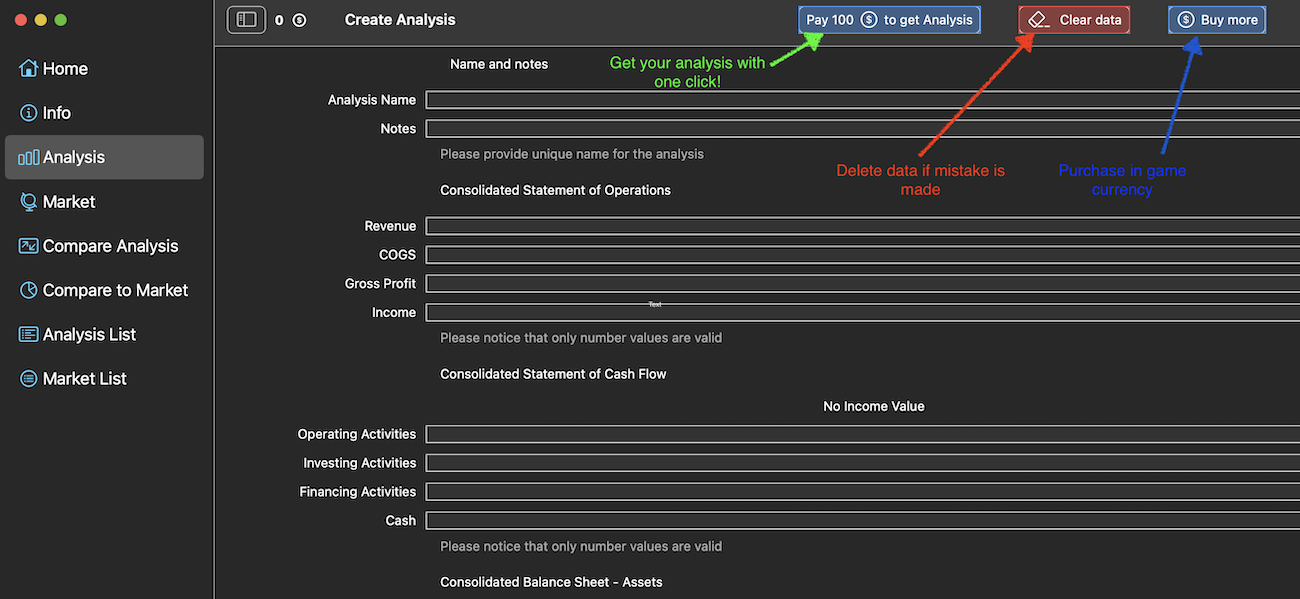
The analysis tab is the tab where you put all your data in.
Let us look at this tab in more detail:
1. Initially you need to name your analyis and place any additional notes.
2. The next step is to fill out the Consolidated Statement of Operations, which is composed of: Revenue, Cost of Goods sold, Gross Profit and Income
3. Consolidated Statement of Cash Flow comes next here you fill in all of the companies activities and their cash for the year
4. The next step is the Consolidated Balance Sheet here you fill out the companies assets and liabilities
5. If you wish to create a market evalution you will need to write the market capitalization value for the company
and the currency
Please remember to put values from the same year in!
You do not need to place a market capitalization value to perform an analysis

Here an analysis is presented to you, of a made up company.

In the market tab you can easily create a market evaluation. The process is quite simple let us briefly go through it.
Firstly, select the companies you wish to use in order to create the market.
Secondly, name the market evaluation and add any notes if you wish to.
After, purchasing in game currency, press the Pay button and create your very own market.
In the bottom right corner of the screenshot you can see an example.
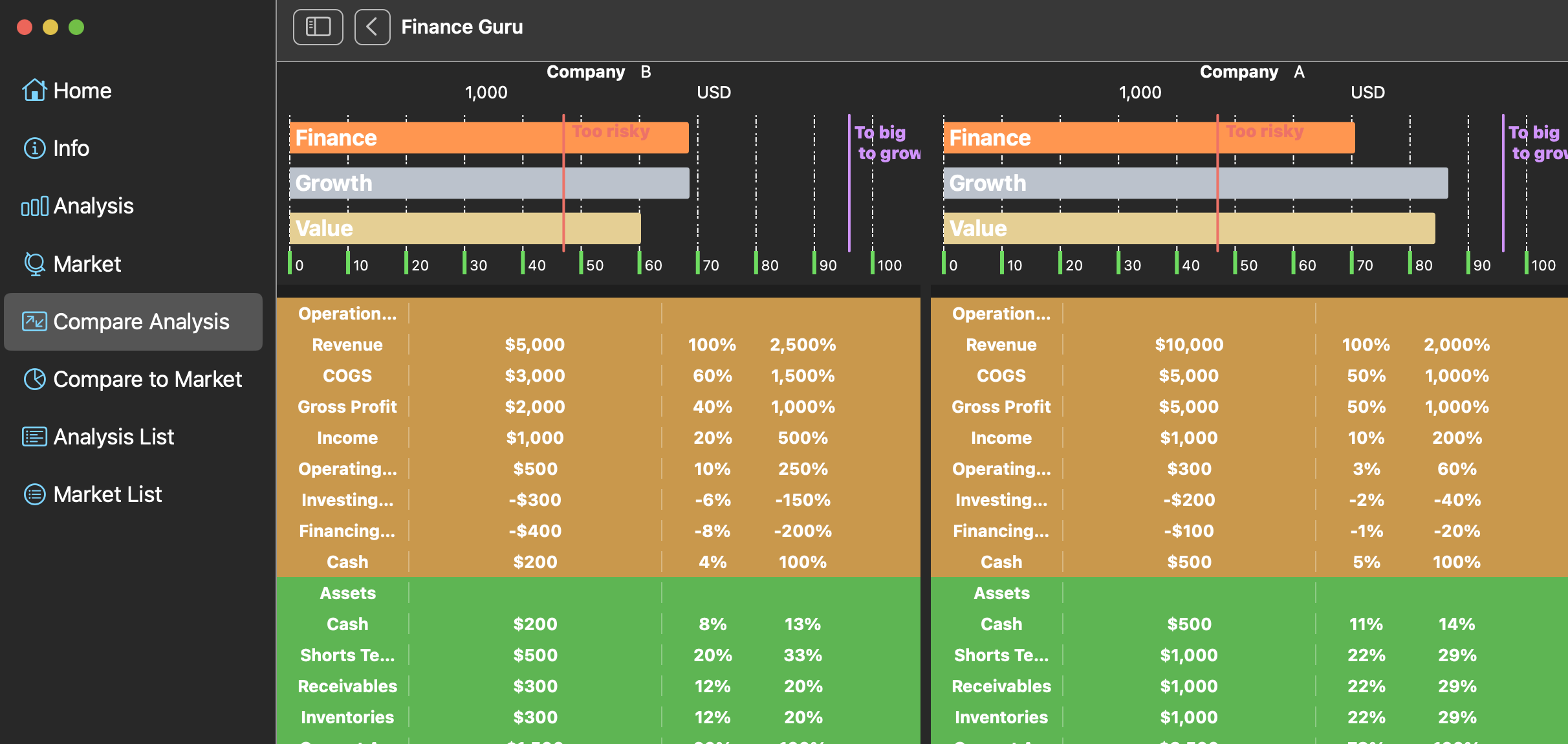
In the Compare Analysis tab you can compare two different companies to each other.
Simply select the two companies you are interested in and click the "Compare Analysis" button.
Once again an example is displayed to you above.

Compare to Market tab has a similar function to Compare analysis tab, except that here we select a company and then we select a market we wish to compare to.

The analist list tab is a library of all the analysis that you have performed using this app.
Here you have the ability to see each analysis seperatly, delete an analysis be selecting it or delete everything in the library.
Please be careful everything you delete is unretrievable!

The market list tab is a library of all the market evaluations that you have performed using this app.
Here you have the ability to see each market seperatly, delete an market be selecting it or delete everything in the library.
Please be careful everything you delete is unretrievable!